v0.4 · Native macOS · Universal

The Mac power tool that never phones home.

Aguacatech is a local AI agent, disk reclaimer, and privacy sentinel for macOS. Talk to a model running on your own Mac. Reclaim 50–200 GB the system itself can't free. See every permission, outbound connection, and clipboard touch. Nothing leaves your machine.

Local-first by design
No accounts, no telemetry
One-time purchase per tier
macOS 14 Sonoma+ · Apple Silicon + Intel
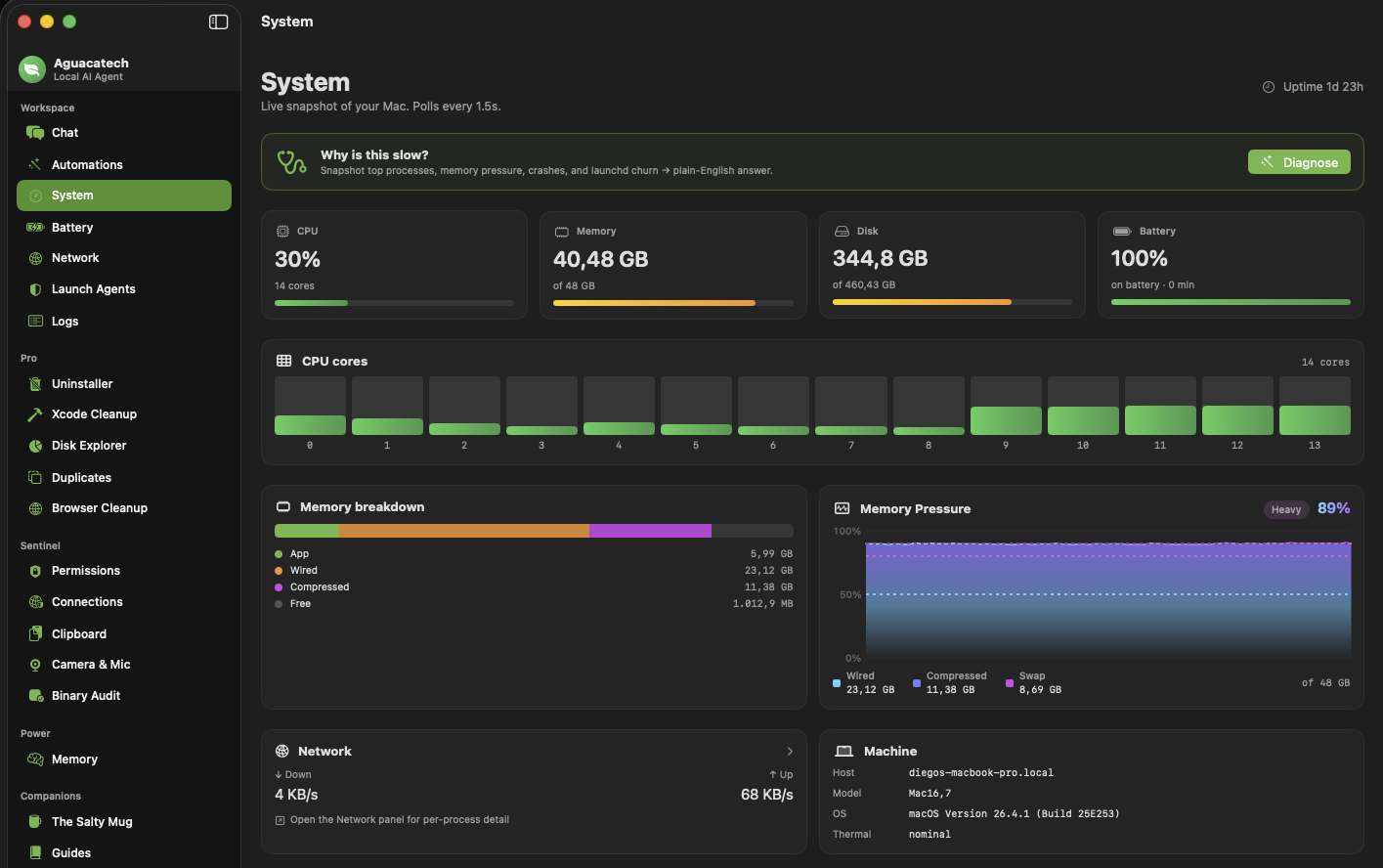
aguacatech, System Monitor

Why is this slow?

Snapshot top processes, memory pressure, crashes, and launchd churn → get a plain-English answer from your local model.

CPU
28%
Memory pressure
42%
Thermal
Fair
↓ in/s
2.1 MB
↑ out/s
182 KB
Disk free
312 GB

Offline by default

Every feature runs against a model on your Mac. No SaaS dependency.

No accounts

Buy a license key, paste it in Settings. No sign-up, no email gate.

One-time purchase

Pay once per tier. Optional subscription if you prefer.

Native macOS

SwiftUI + AppKit. No Electron, no web wrapper. macOS 14 Sonoma or later.

Four pillars

Everything your Mac wants to confess.

Aguacatech replaces a stack of subscriptions with one native app you own. Talk to a local model, reclaim your disk, see every privacy decision macOS made for you, and let an agent quietly tend the rest.

Talk to your Mac

Streaming chat against a model on your machine. Tool calls, screenshots, vision, push-to-talk voice, on-device TTS. The agent reads files, drives apps, runs your Shortcuts, with an approval card before every write.

  • LM Studio, Ollama, MLX-server compatible
  • Quick Actions: double-tap ⌥ from anywhere
  • Unified diff preview on every destructive call
  • Per-feature model routing (chat, code, vision, embeddings)

Reclaim your disk

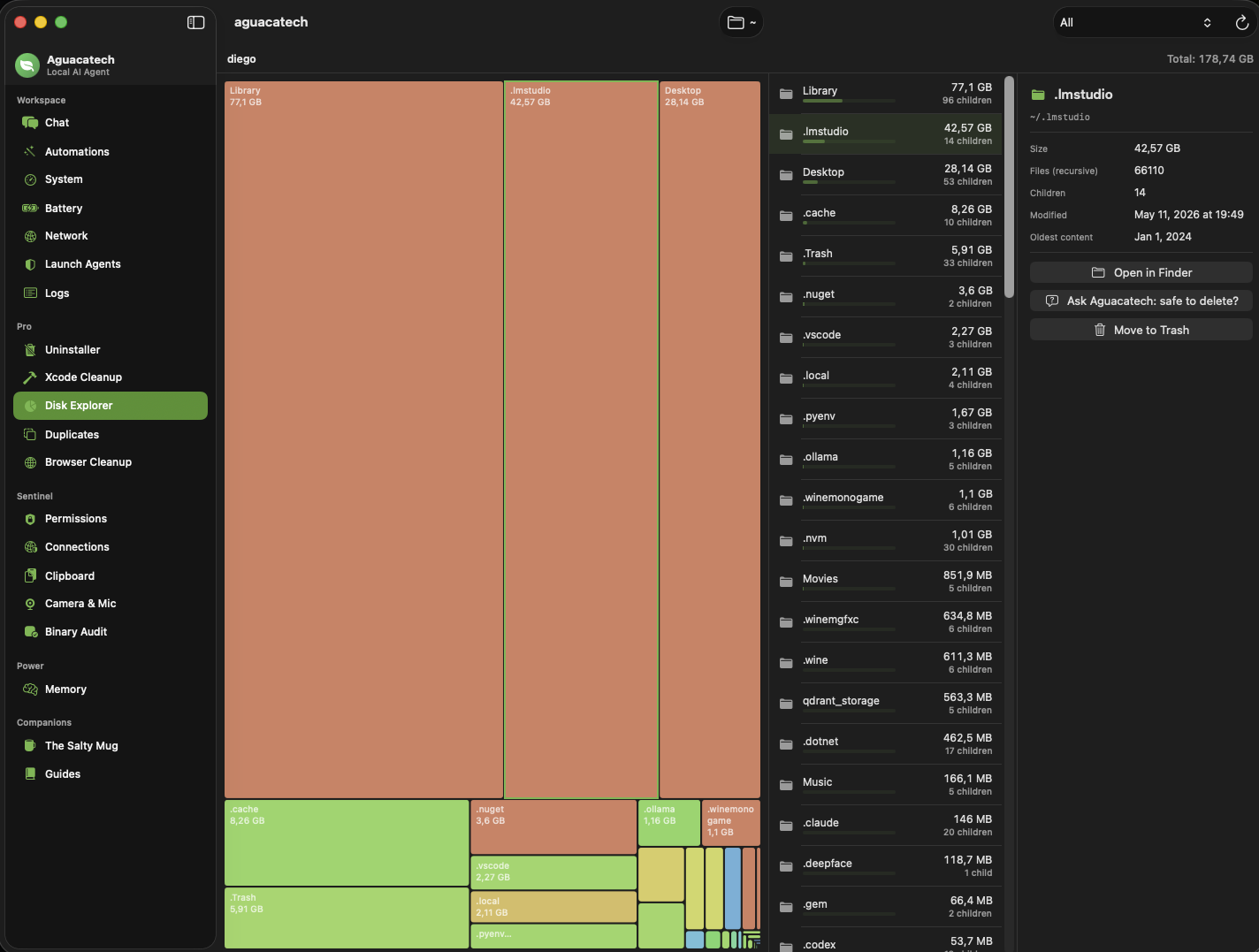
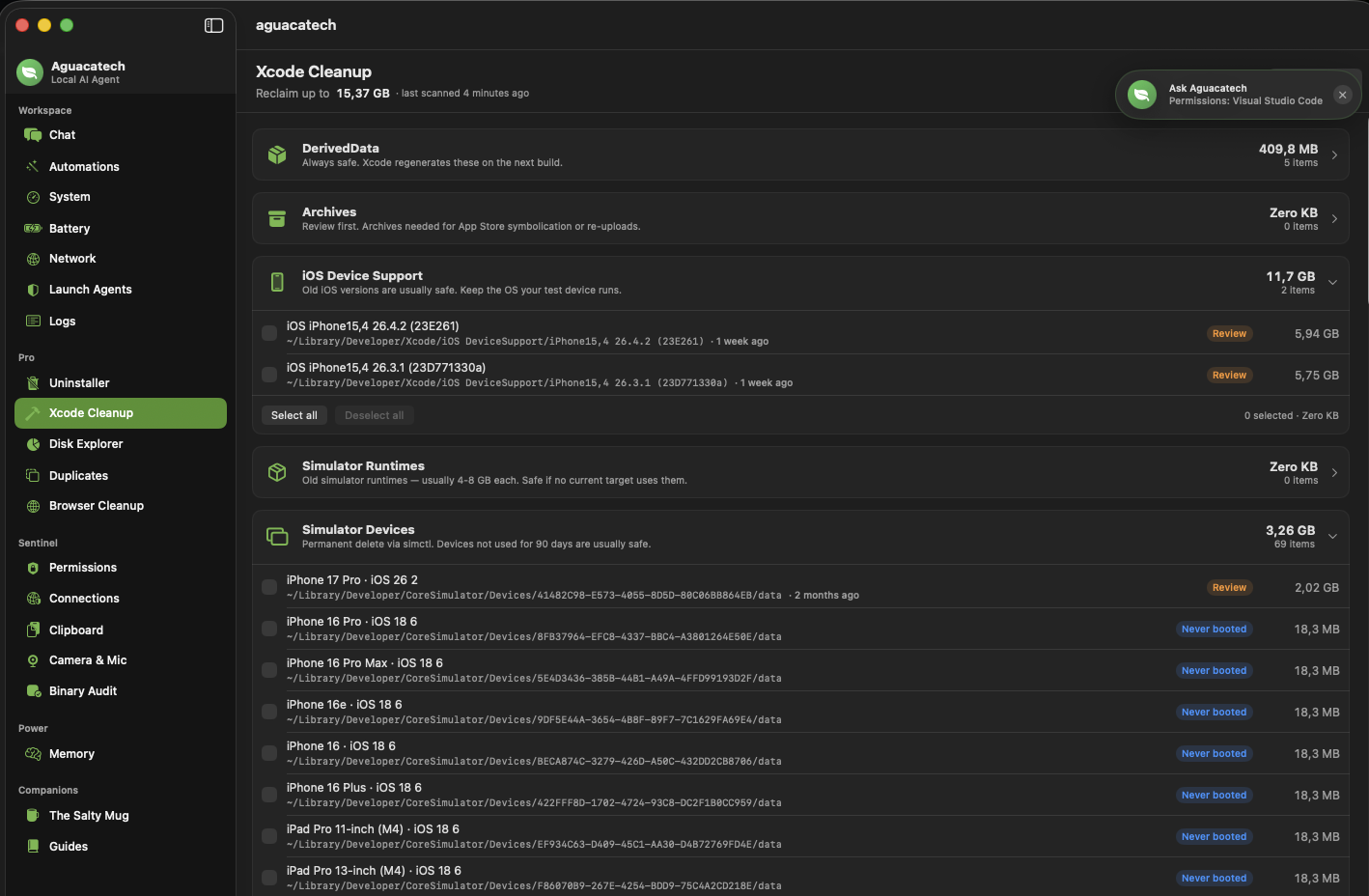
The cleanup tools CleanMyMac wishes it had. Squarified TreeMap of every byte. Smart Uninstaller that also clears Dock pins and orphan files. Xcode caches gone in one click. Most dev Macs free 50–200 GB the first run.

  • Disk Explorer + iOS-backup browser
  • Xcode Cleanup (DerivedData, Archives, Simulator Runtimes)
  • Duplicate Finder, byte-for-byte + perceptual image hash
  • Browser Cleanup across Safari, Chrome, Brave, Arc, Firefox
  • "Why is this slow?" one-click diagnostic

See everything

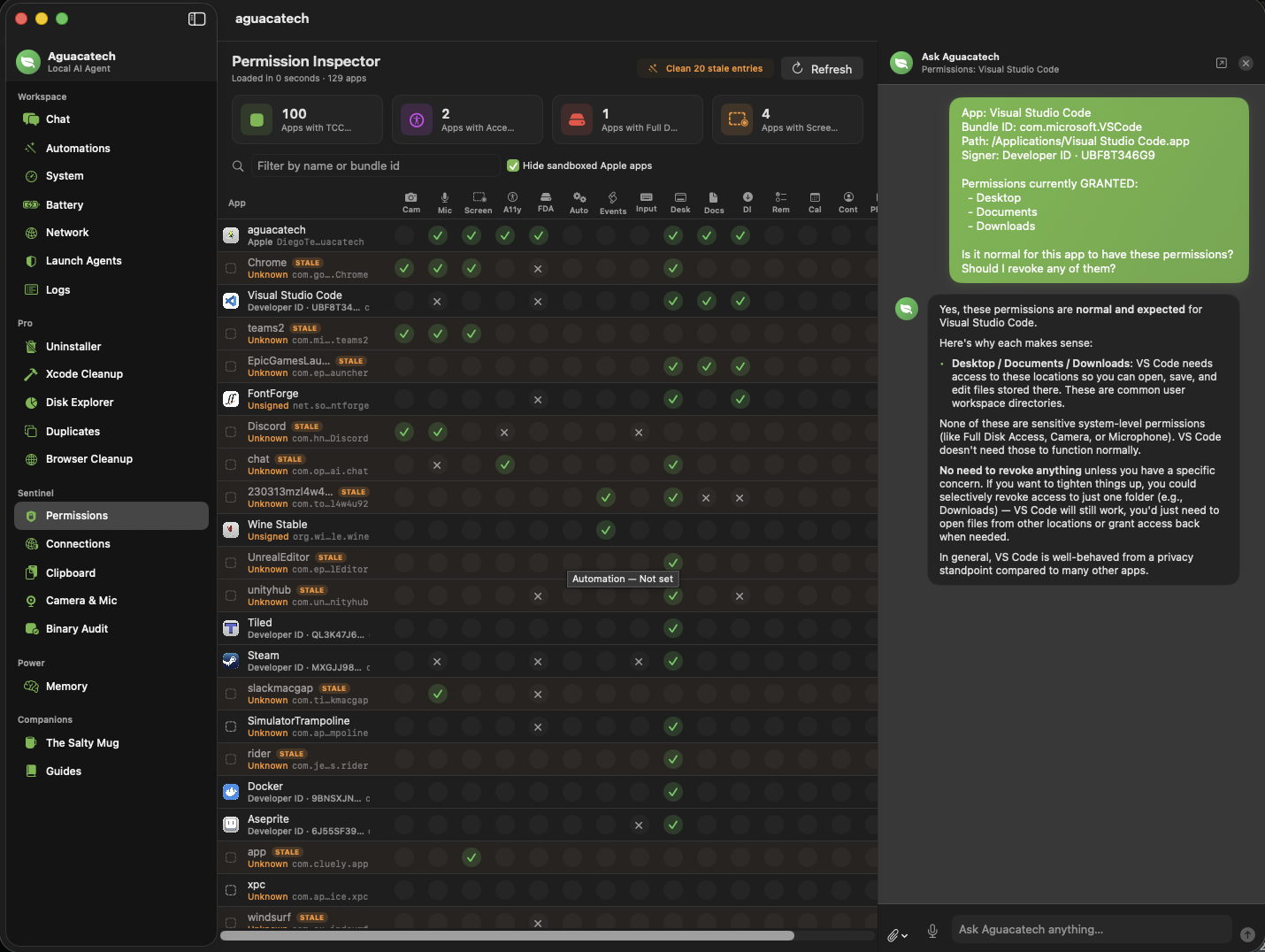
Replace Little Snitch plus a clipboard manager plus that Mic-Drop menu bar app you keep meaning to install. Sentinel watches every TCC grant, outbound socket, clipboard touch, and camera/mic activation, locally, append-only.

  • Permission Inspector, full TCC audit grid
  • Outbound Connection Log + LLM-graded audit
  • Encrypted clipboard history with auto-redaction
  • Camera & Mic activation log, PID-attributed
  • Codesign + Gatekeeper binary audit

Grow the agent up

Add MCP servers, persistent memory, a planner/executor/reviewer crew, scheduled runs, a code-lab with diff-previewed writes, an embedded shell drawer, and a local model manager that routes each task to the right model.

  • MCP client for any compatible server
  • Persistent local memory (on-device NLEmbedding)
  • Multi-agent (planner → executor → reviewer)
  • Scheduled tasks with an in-app inbox
  • Code Lab + approval-gated shell drawer
A look inside

One native app, a stack of replacements.

Real screenshots from the latest build, no marketing mockups. Swipe, click the dots, or use ← → to walk through.

Approval gates with diff preview

Every destructive tool, write_file, run_applescript, run_shell_command, every MCP write, pauses the agent and shows the unified diff before it runs. Allow once, always allow, or deny.

MCP, every tool ecosystem

Aguacatech is a Model Context Protocol client. Add GitHub, Postgres, Slack, filesystem, or any compatible server, its tools join the agent's registry as mcp__<server>__<tool> with the same approval gates as the built-ins.

System Monitor that means something

Memory pressure chart with thresholds you can actually trust. Per-core CPU bars. The full process table, sortable, filterable, every PID, not a top-10 abstraction. Click any row → Explain in chat.

Smart Uninstaller + orphan finder

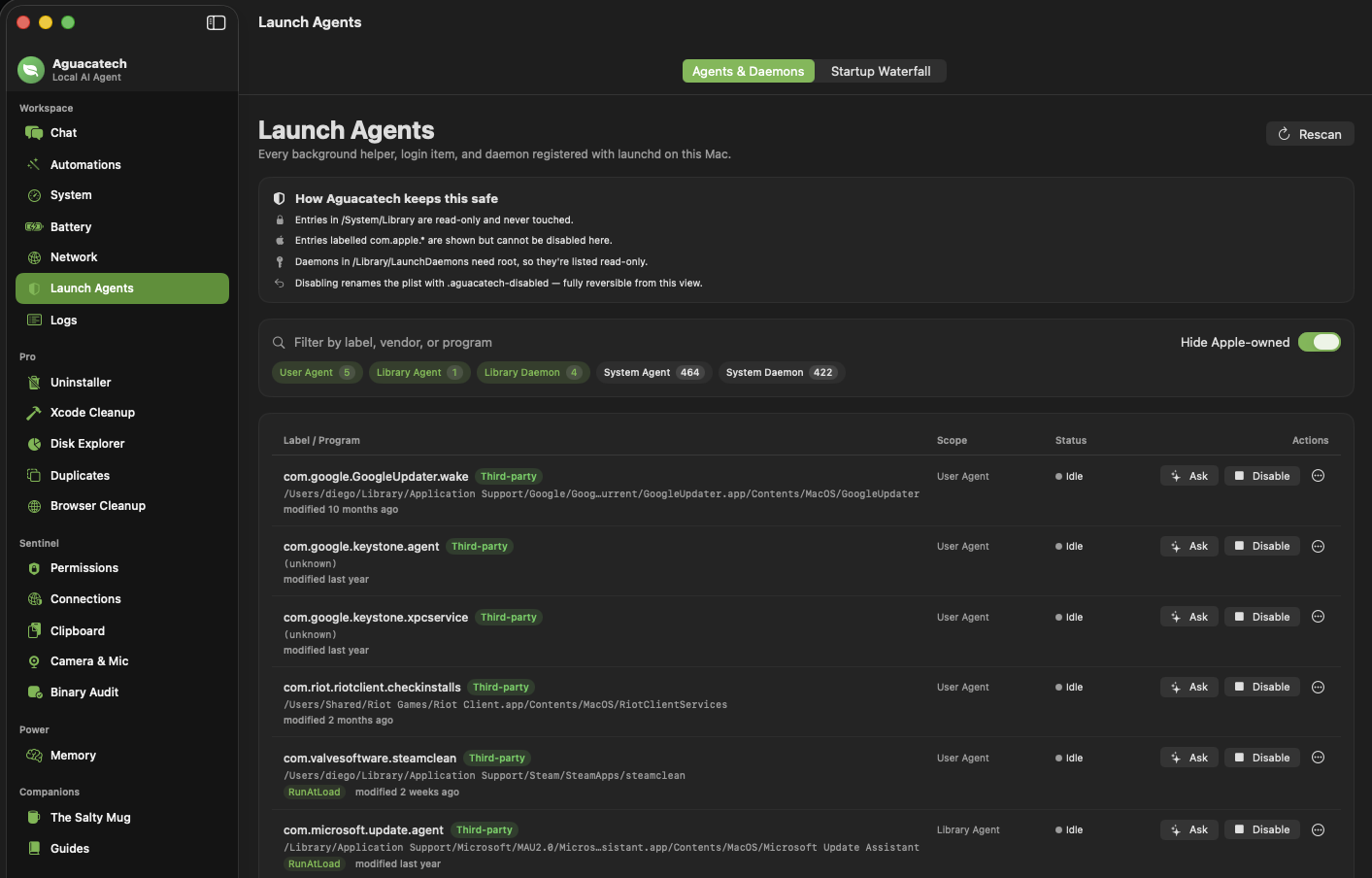
Trash an app and review every leftover preference, cache, container, launch agent, and Dock pin, scored by confidence. Or flip to Orphan mode and find what apps you removed months ago left behind. Optional Smart Reinstall manifest captures your prefs for next time.

Why is this slow? Why is this connection there?

One-click diagnostics snapshot top processes, memory pressure, swap, recent crashes, launchd churn, or every open socket, and send the structured snapshot to your local model for a verdict + ranked fixes you can act on.

Local by design, end-to-end

The model runs on your Mac. Permissions are read from TCC.db on disk. Connection samples come from lsof. Disk scans use du. Voice runs on Apple's on-device recognizer. Nothing is uploaded. Anywhere.

What our users say

Real Macs, a lot of recovered gigabytes.

Notes from the maker and the small group of testers who've been running Aguacatech against their own Macs. Quotes are paraphrased with permission; first/last initials only.

The Xcode cleanup alone paid for the whole license on day one. 74 GB of old simulator runtimes I'd been carrying for years. Then I found another 12 GB in DerivedData from projects I haven't opened since 2024.

A. R. iOS engineer · MacBook Pro M3 Max

I'd uninstalled apps for years by dragging them to the Trash. The Uninstaller's orphan scan found ~6 GB of leftover containers, launch agents, and a half-dozen Dock pins for apps that haven't existed on my Mac in months. Reading the launchd cross-check logic made me trust it.

M. K. Indie dev · Mac mini M2

Permission Inspector is the feature I didn't know I needed. Eleven apps with Accessibility, four with Screen Recording, three I'd forgotten I ever installed. System Settings makes this impossible to audit; Aguacatech does it in one grid.

S. P. Security researcher · MacBook Air M2

The Connection Audit caught an old menu-bar app phoning home to a CDN I didn't recognize. Local LLM gave me a one-paragraph "this is what that is, here's whether it's normal" verdict and I revoked it the same minute.

J. L. Backend engineer · MacBook Pro M1

I run a 7B model in LM Studio and Aguacatech as the front end. The Quick Actions ⌥⌥ panel has replaced three Raycast extensions for me, and it never leaves my machine. Worth Pro just for that, honestly.

R. V. Designer · MacBook Pro M3

Browser Cleanup did 9 GB across Chrome and Brave caches in two minutes. The "quit first" rule is the right call, I'd rather have a popup than a corrupted Cookies DB. Also: the bookmarks-never-touched note is exactly the reassurance I needed.

T. H. Product manager · iMac M3
Pricing

Four tiers. No subscriptions forced.

Free is generous and stays free. Each paid tier is sold once or yearly, your choice. Buy one tier or bundle them.

Free
The local AI assistant, plus live system insight.
$0
Forever, no key required
  • Chat with any local model
  • Quick Actions (⌥⌥)
  • System Monitor + Network
  • Logs · Guides · Salty Mug game
  • Launch Agents (read-only)
Sentinel
See every permission, connection, and clipboard touch on your Mac.
$49
One-time · or $29/yr
  • Permission Inspector (TCC audit)
  • Outbound Connection Log
  • Encrypted Clipboard History
  • Webcam / Mic activation log
  • Smart Paste
  • Sketchy-binary scan
Power
The agent grows up: voice, memory, MCP, scheduling.
$79
One-time · or $49/yr
  • MCP client (any MCP server)
  • Approval gates with diff preview
  • Push-to-talk voice + TTS
  • Persistent local memory
  • Multi-agent + scheduled tasks
  • Code-agent tools + terminal

Bundle everything, $129 one-time · or $69/yr. Get the bundle

Questions

Honest answers.

What you'd be wondering. If anything's missing, email us.

Does Aguacatech actually run a model on my Mac?

Yes. Aguacatech is a thin client that talks to whatever OpenAI-compatible endpoint you point it at. The default is LM Studio at http://localhost:1234/v1. You can also use Ollama or any compatible runtime. There's no cloud fallback, if your local server is off, the agent doesn't run.

Does anything leave my Mac?

Only the requests you send to your configured LLM endpoint. If that endpoint is local (the default), nothing leaves the machine. Aguacatech has zero telemetry, no analytics, no accounts. Your conversations, logs, scan results, and license key all live in ~/Library/Application Support/aguacatech.

How does the license work?

After purchase, you receive a license key by email within 24 hours. Paste it into Settings → License. The key activates the matching tier locally, it is not validated against a remote server, ever. You can use the same key on every Mac you own.

Is this open source?

The marketing site is. The app itself ships as a notarized DMG. We'll open more components over time, especially MCP-related infrastructure.

Why both one-time and subscription pricing?

Some people prefer to buy once and own it. Some people prefer lower-friction yearly payments and continuous updates. You pick. One-time licenses include 12 months of updates by default; subscriptions include updates for as long as they're active.

What about refunds?

14-day no-questions refund window. Email us within 14 days of purchase and we'll process it through PayPal.

System requirements?

macOS 14 Sonoma or newer. Universal binary, runs on both Apple Silicon (M-series) and Intel Macs. Recommended: 16 GB RAM if you plan to run a 7B-class local model alongside Aguacatech; 32+ GB for larger models. About 200 MB of disk for the app itself. The cleanup tools will frequently free far more disk than the app takes.

Can I really free that much disk?

On a working developer's Mac, the ~/Library/Developer tree alone is typically 50–200 GB. Browser caches add another 5–15 GB; the Uninstaller's orphan scan and Dock-pin cleanup usually surface a few more. Most testers report 30–150 GB freed on the first scan. Your mileage varies, but if you've never run a Mac cleanup tool before, expect a real number, not a marketing one.

Which local model should I run?

For chat + tool calling, any recent instruct-tuned 7–8B model in Q4 is fine on 16 GB Macs (Llama 3.1 8B Instruct, Qwen 2.5 7B Instruct, Mistral Nemo). For Code Lab, a coder-tuned model in the 7–14B range is noticeably better (Qwen 2.5 Coder, DeepSeek-Coder V2). On the Power tier you can route chat, code, and vision to different models from a single matrix.
Your Mac. Your model. Your data.

Download the free tier in 30 seconds. Upgrade when you want more. Never let it phone home.